
Refari
Multiple Meet The Team widgets on different pages for different Recruiter Tags
https://help.refari.work/knowledge-base/article/multiple-meet-the-team-widgets-on-different-pages-for-different-recruiter-tags
When you have a company that have different sectors that you specialise in, you may want to have multiple Meet The Team widgets displaying the recruiters relevant to each sector.
On each page you need to install the Meet The Team widget: How to install widgets with Elementor
When you are installing the Widget, you can set the following options:
6. [optional] field, ability to filter recruiters by tags on Meat the team widget
tags: [""],
Adding a tag in here that all Recruiters from this sector have would only show this recruiters and not others who are not in this sector.
For example:
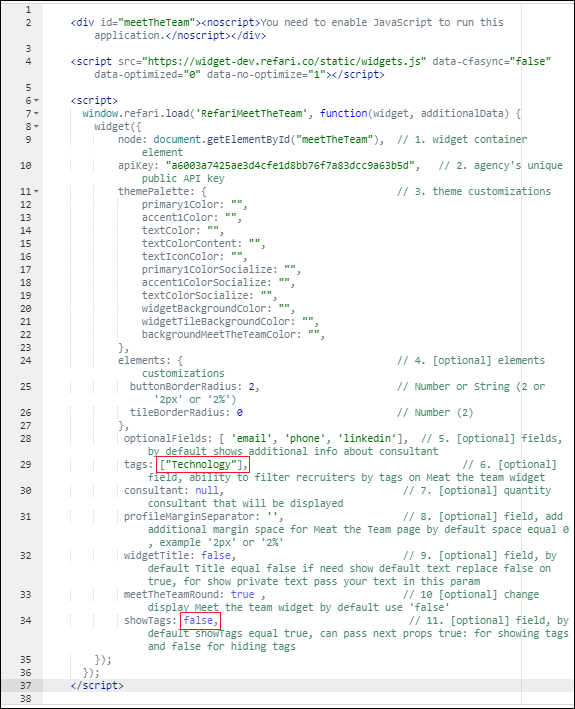
tags ["Technology"]
You can then stop the tag from Displaying above the recruiters by making sure this option is set to false.
11. [optional] field, by default showTags equal true, can pass next props true: for showing tags and false for hiding tags
showTags: true,
For example:
showTags: false,
Here's how it would look in the code:
Below is the general Meet The Team widget and then the 'Technology' only Meet The Team page. You can add mutiple tags by typing them in like this:
tags: ["Technology" , "Sales" , "Media"]
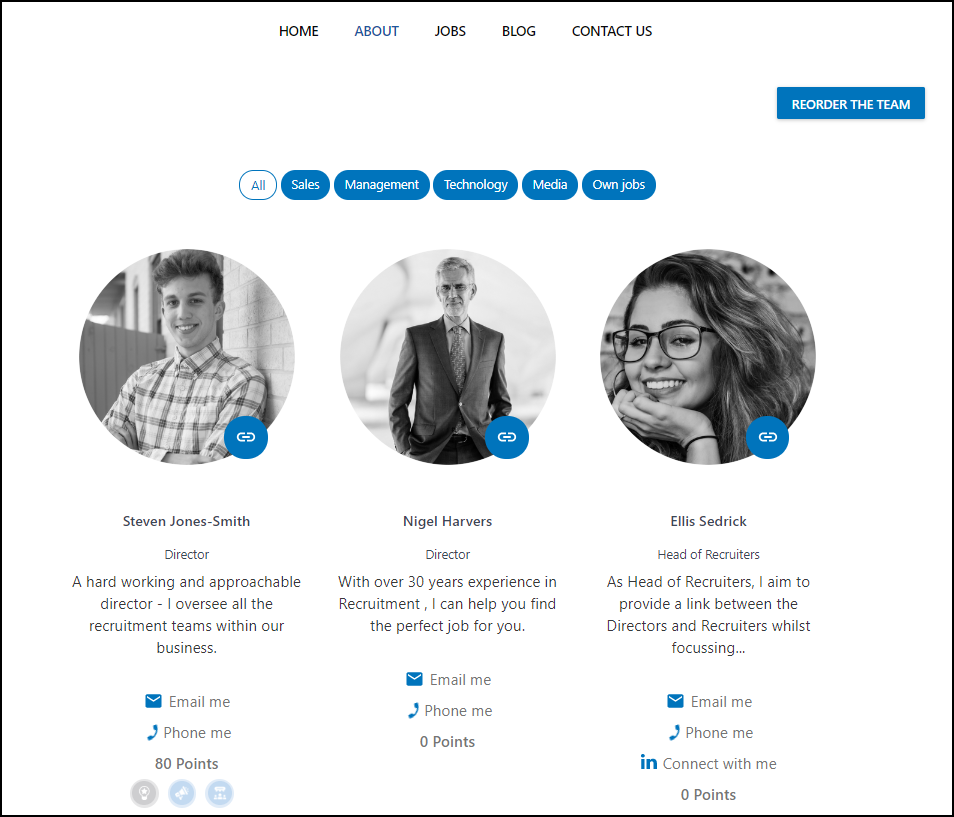
This is the 'Technology' only Meet The Team Widget and with tags not displayed.

This would allow you to have multiple Meet The Team widgets across your pages only showing the relevant Team Members on each page.