
Refari
Referral Widget - How to install it and the customisation available
https://help.refari.work/knowledge-base/article/referral-widget-how-to-install-it-and-the-customisation-available
This article explains what the Referral widget is, how to install it on your website, and the customisation options available. The Referral widget puts a "refer a friend" form wherever you want it, for example on a careers or landing page, so visitors can recommend a candidate to your company directly, without being tied to a specific job.
What the Referral widget does
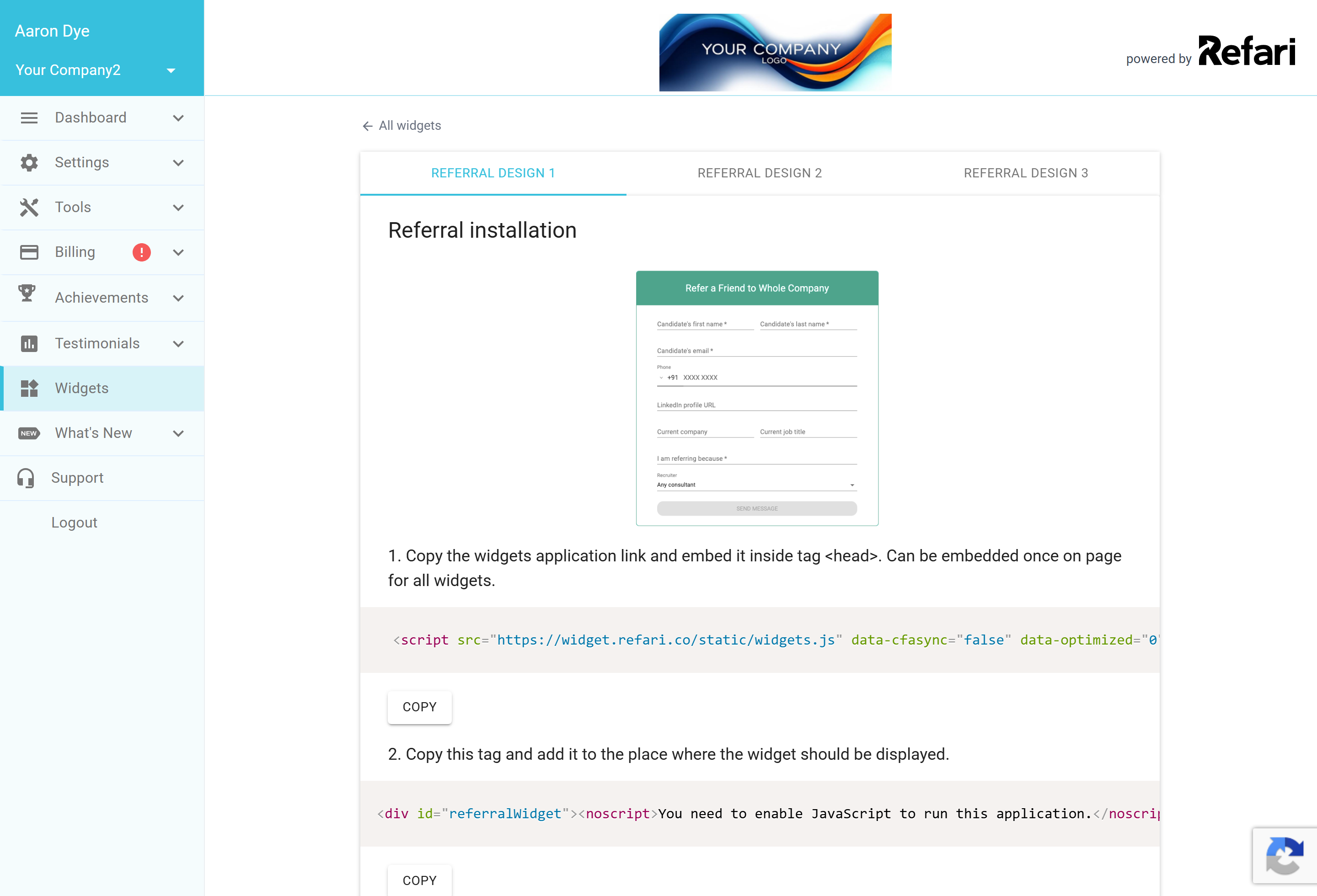
The widget shows a short form where someone can refer a candidate to you (the candidate's name, email, and a few optional details). It comes in three ready-made designs so it fits neatly into your site. You will find it under Widgets > Referral in your Refari dashboard, where you can preview each design and copy the code to install it.
How to install it
Go to Widgets > Referral, choose the design you want at the top, then copy the three snippets in order:
- The widgets application link. Add this inside your page's <head>. You only need it once per page, and the same link powers every Refari widget on that page.
- The container tag. Add this <div> exactly where you want the widget to appear on the page.
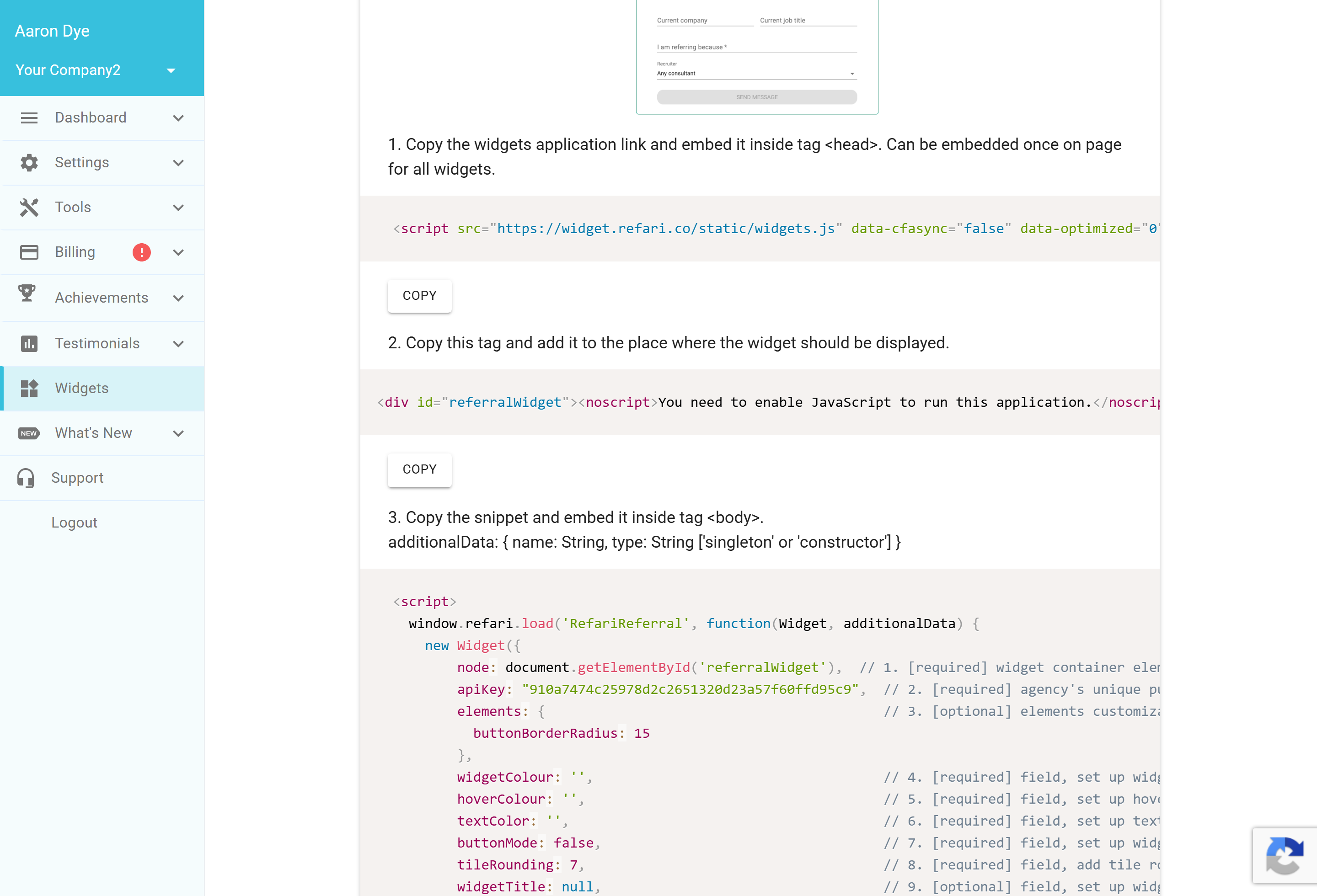
- The widget snippet. Add this inside your <body>. It already includes your public API key, so it is tied to your account.
Each snippet has a Copy button, and Copy All grabs all three at once.
Customisation options
The widget snippet exposes a few settings you can adjust to match your site:
- widgetColour, hoverColour, textColor: set the widget's primary colour, its hover colour and its text colour to match your brand.
- buttonMode: set to true to show a single "Refer a friend" button that opens the form in a pop-up, or false to show the form inline on the page.
- tileRounding and buttonBorderRadius: control how rounded the corners are.
- widgetTitle: change the heading above the form (or leave it as the default).
- widgetWidth and fullWidth: control how wide the widget is.
- optionalReferFormFields: make fields such as the CV or LinkedIn URL optional rather than required.
Final Notes
The Referral widget is a great companion to the "Refer a Friend" option already on your job board: the board captures referrals from people browsing your jobs, while this widget captures them anywhere else you promote your referral scheme. Any referral that comes through it is tracked in Refari just like the rest.