
Refari
How to add a candidate by uploading their CV
https://help.refari.work/knowledge-base/article/how-to-add-a-candidate-by-uploading-their-cv
This guide walks you through adding a new candidate by uploading their CV. Refari reads the CV and automatically fills in the candidate's details for you, so you do not have to type them in by hand. This is called resume parsing.
Step 1: Open the Add candidate window
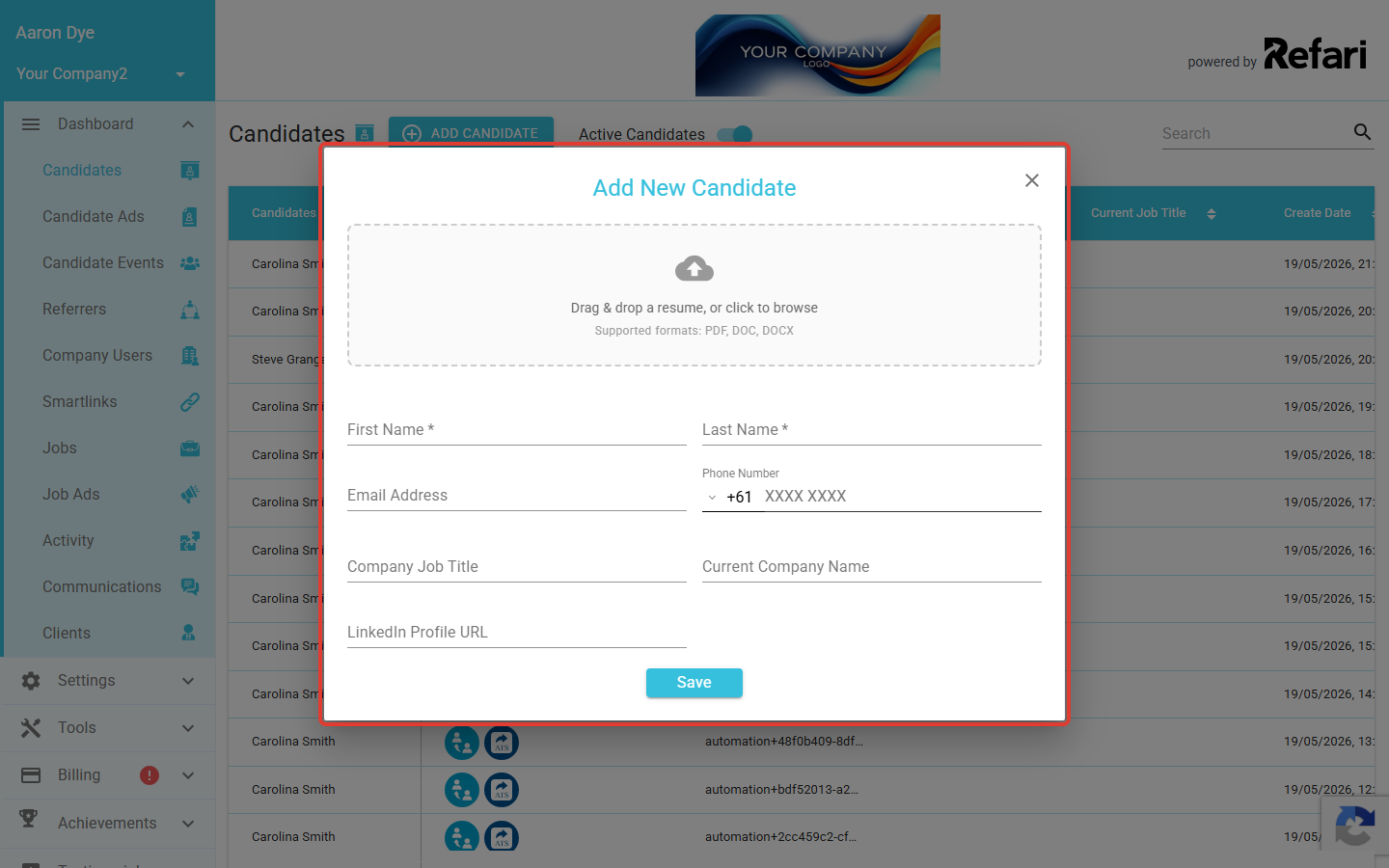
Go to the Candidates page in your dashboard and click Add candidate. The Add New Candidate window opens with a CV upload area at the top.
Step 2: Upload the CV
In the upload area (labelled Drag & drop a resume, or click to browse), either drag the candidate's CV onto it or click to browse and choose the file from your computer. You can upload one file at a time, in PDF, DOC, or DOCX format.
Step 3: Let Refari read the CV
Refari uploads the file and reads it. While it works, you will see a Parsing resume... message. This usually takes a few moments.
Step 4: Review the details Refari filled in
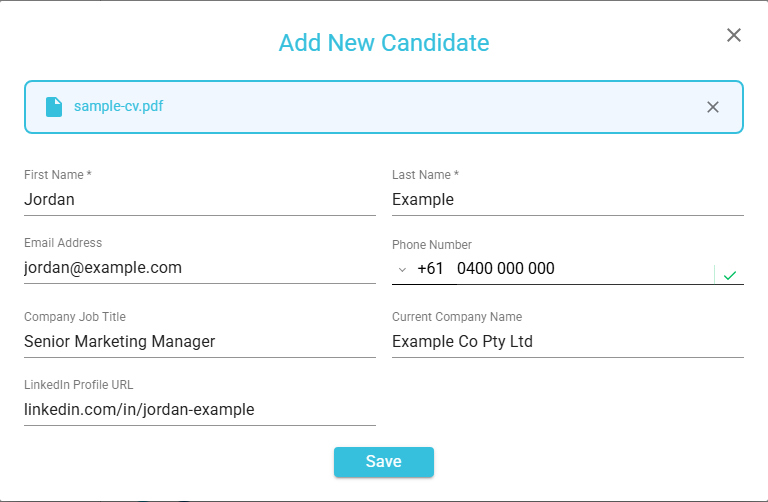
Once parsing finishes, Refari fills in the candidate form with the information it found. Where the detail is available on the CV, it populates:
- First Name and Last Name
- Email Address
- Phone Number
- Company Job Title
- Current Company Name
- LinkedIn Profile URL
Step 5: Save the candidate
When you are happy with the details, save the candidate as you normally would. They are added to your candidates with all the parsed details already in place.
Final Notes
Resume parsing is there to save you time on data entry, not to replace your judgement. Upload the CV, let Refari do the typing, give the details a quick check, and save. If a CV will not upload, make sure it is a PDF, DOC, or DOCX file.