Refari Built Websites
How to Implement a 301 Redirect on Your Refari Website
https://help.refari.work/knowledge-base/article/how-to-implement-a-301-redirect-on-your-refari-website
In the dynamic world of websites, keeping your visitors engaged and ensuring they find what they're looking for is crucial for a positive user experience. However, over time, URLs may change, or pages might be removed, leading to broken links. This can frustrate users and harm your site's SEO rankings. Fortunately, with a 301 redirect, you can seamlessly guide visitors from an outdated or broken URL to a relevant page, ensuring a smooth navigation experience on your Refari website. This tutorial will guide you through the simple steps of setting up a 301 redirect using the Rank Math plugin in WordPress, helping you maintain a robust and user-friendly website.
1. In this tutorial, we'll explore how to redirect broken URLs to a specific destination URL, ensuring a smoother user experience and maintaining the integrity of your Refari website's navigation.
2. Navigate to your WordPress dashboard.

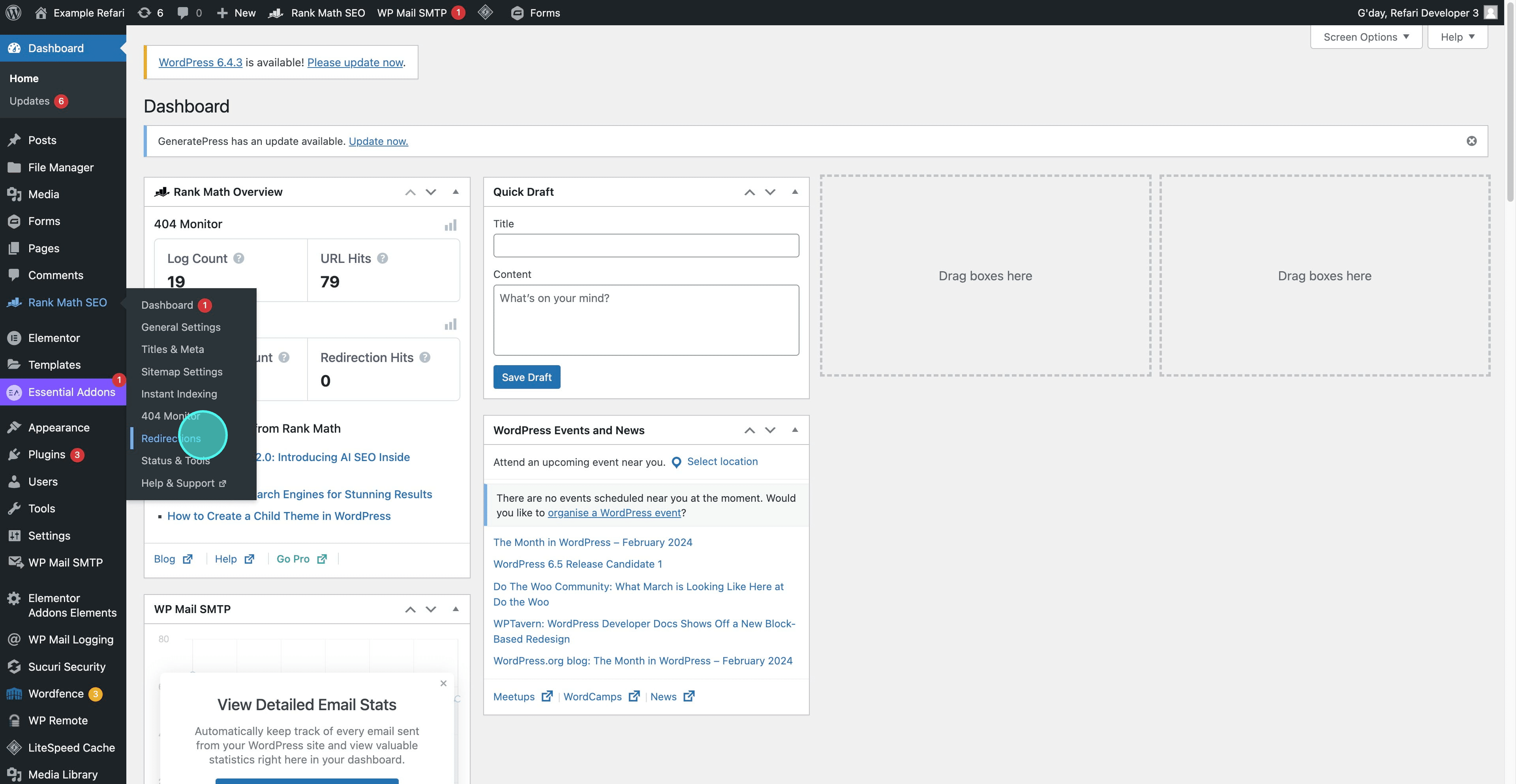
3. Hover over "Rank Math" and navigate to "Redirections."
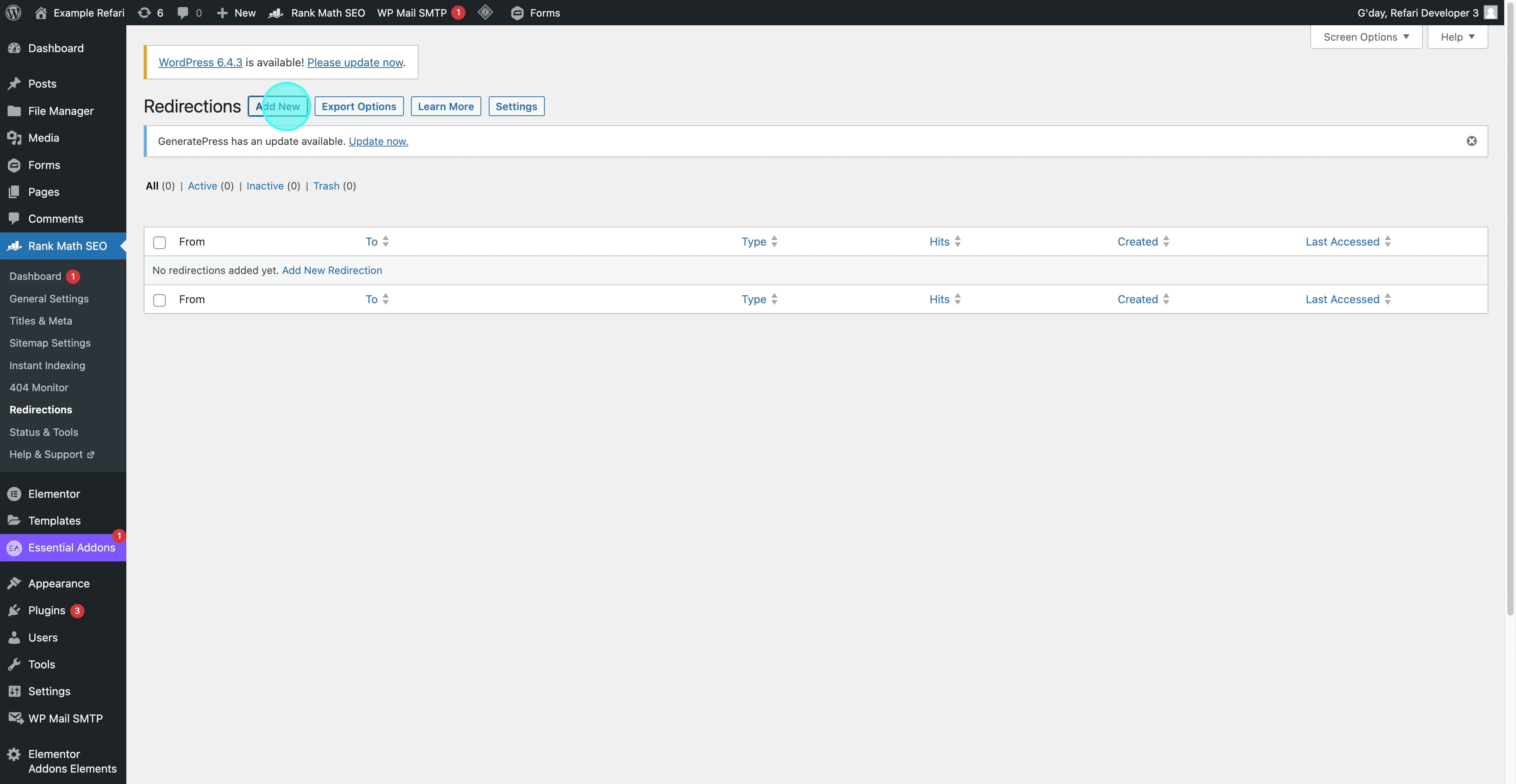
4. Click on "Add New" to add a new redirection.
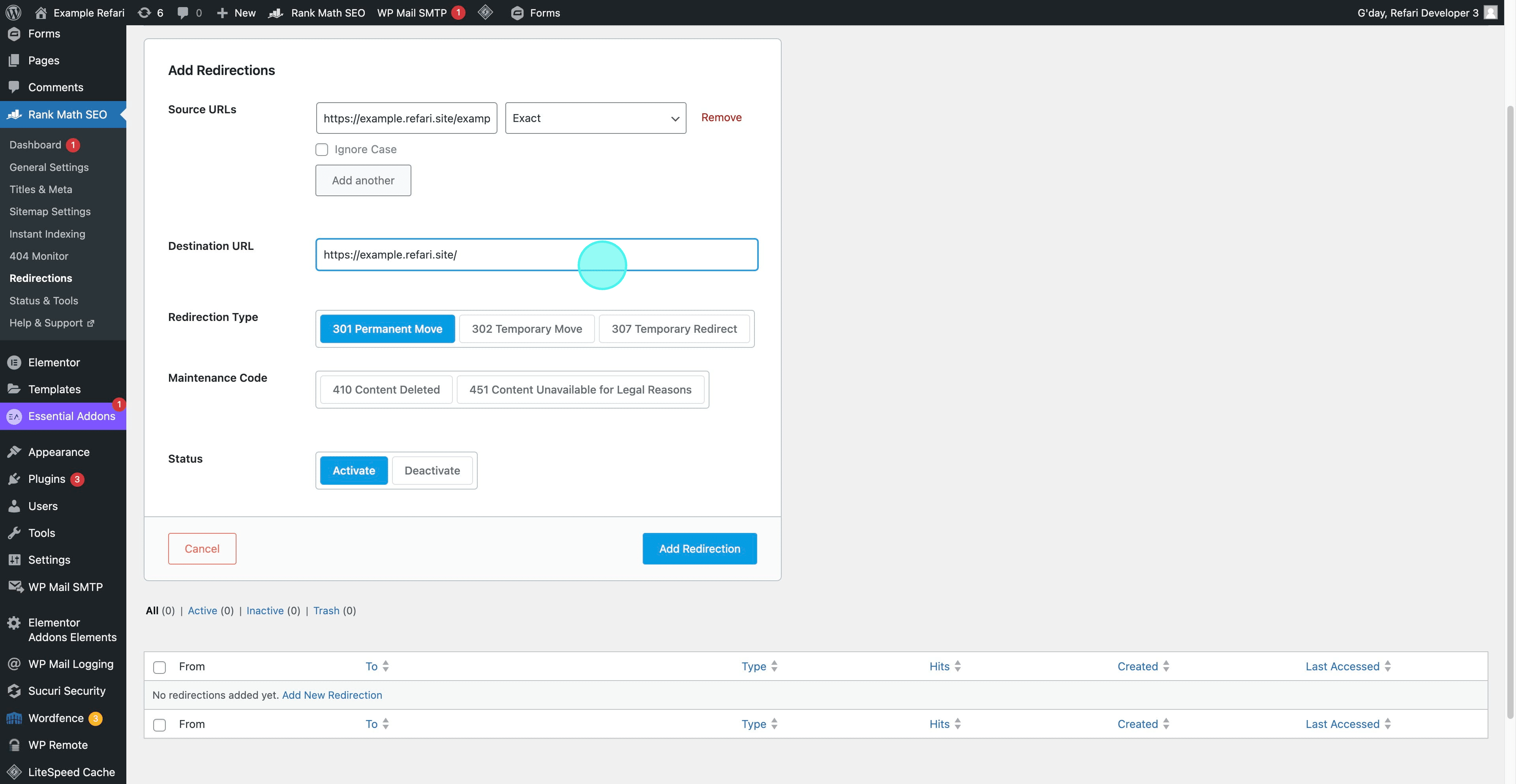
5. Enter the Source URL that you wish to redirect.
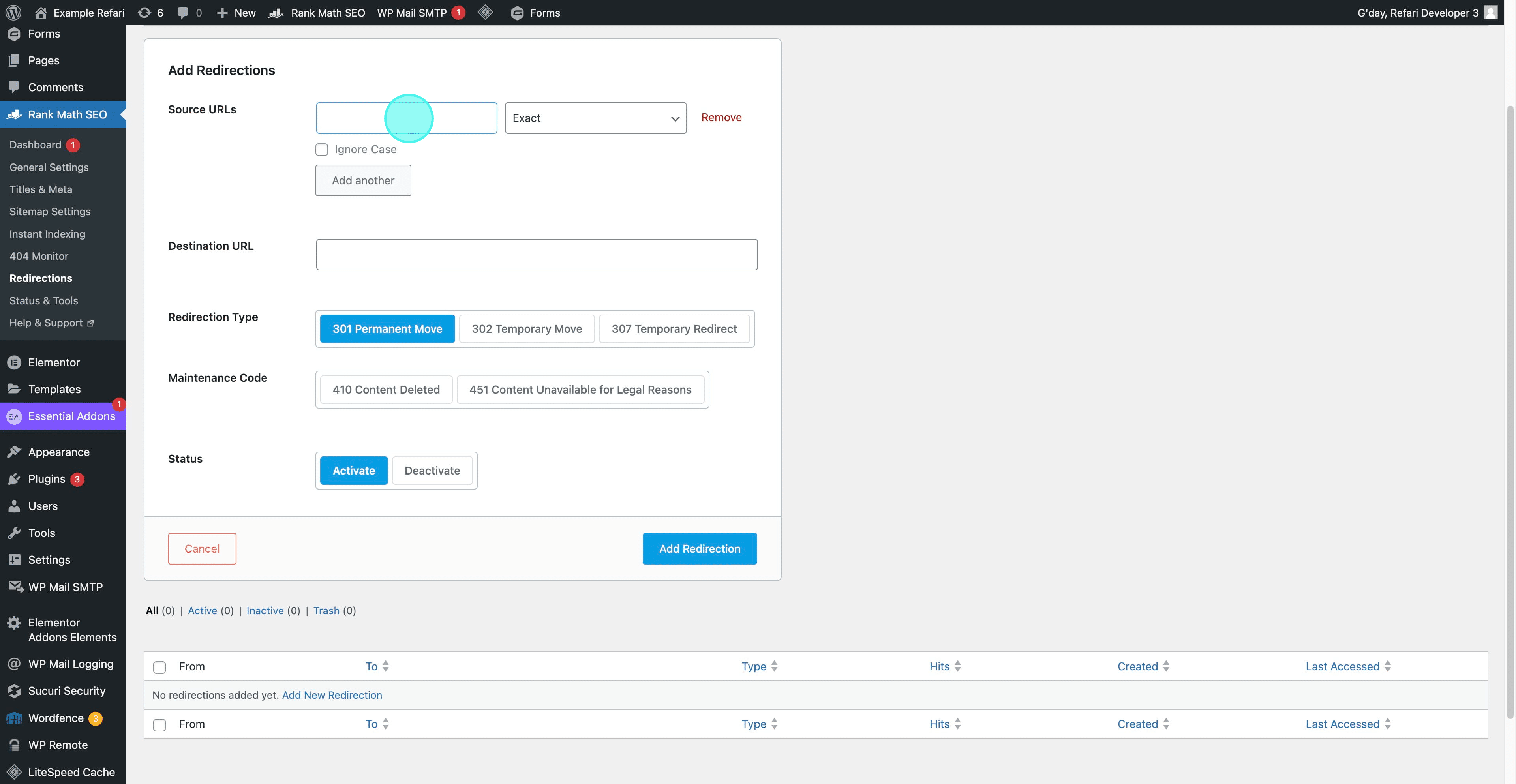
6. Enter the destination URL.
7. Click on "Add Redirection."
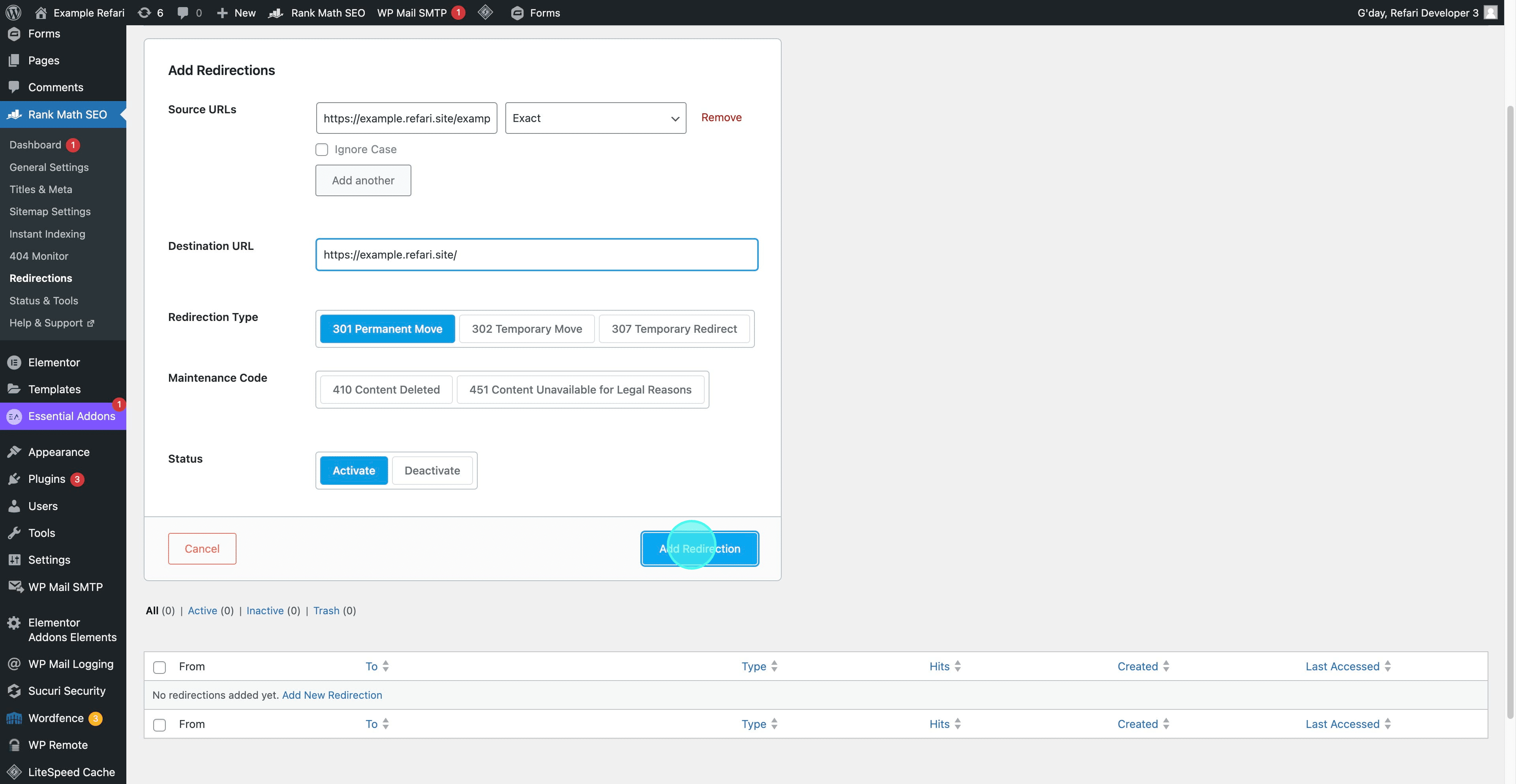
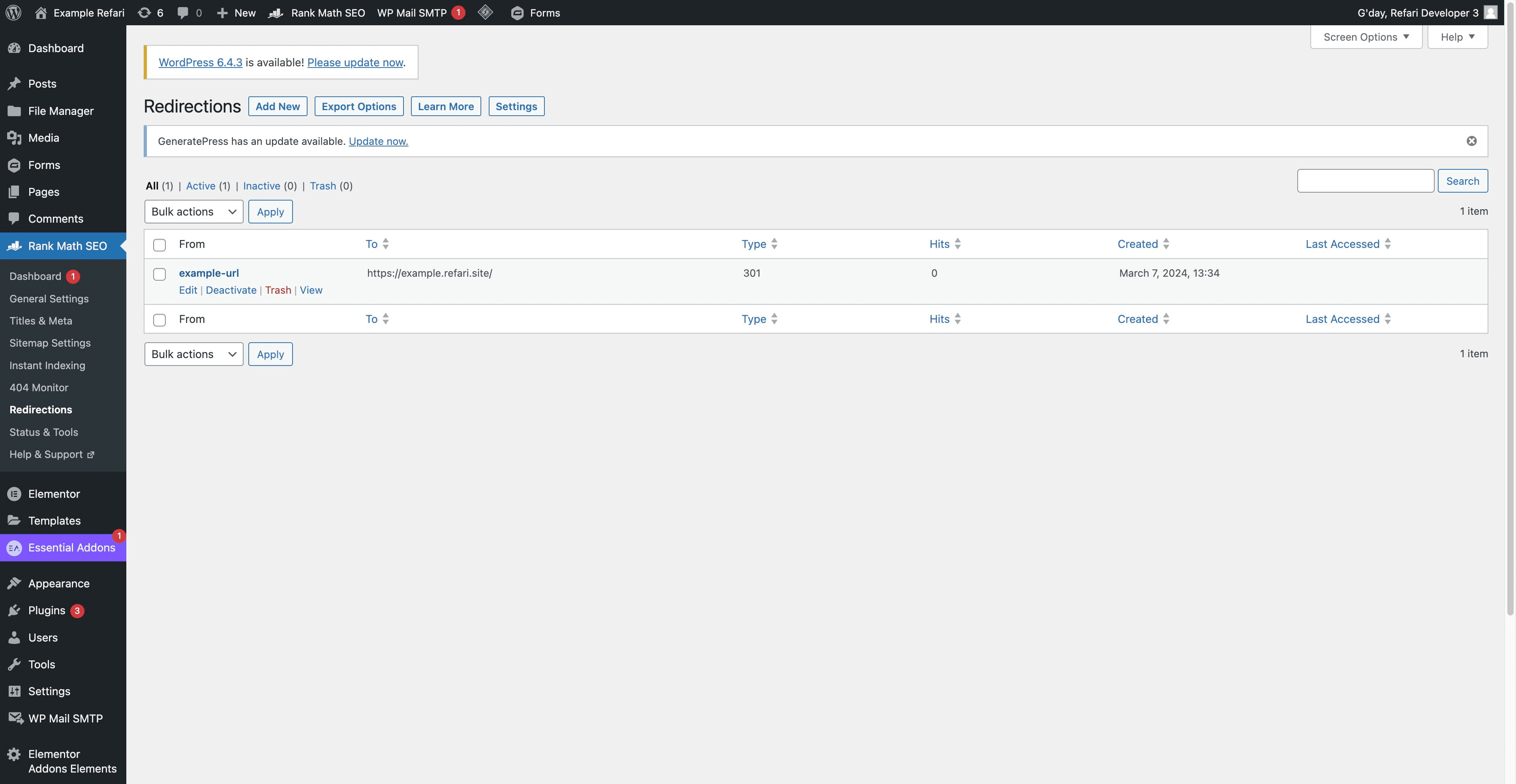
8. Congratulations! Your redirection is now successfully completed.