Refari
Multi-currency Job Board
https://help.refari.work/knowledge-base/article/multi-currency-job-board
Did you know that you are able to post Jobs to your ATS with DIFFERENT salary currencies and our Job Board will show which currency each job is for.
Once you've posted your jobs to your ATS and they have been imported to your Refari Job Board, all you need to do is:
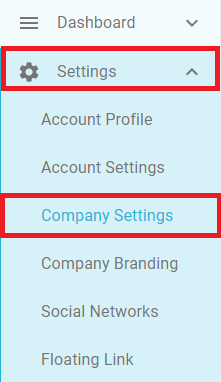
1. Log in to Refari and click on 'Settings' and then 'Company Settings'
Now you will see a list of toggles and the toggle we need to turn on is 'Display Currency Abbreviation'
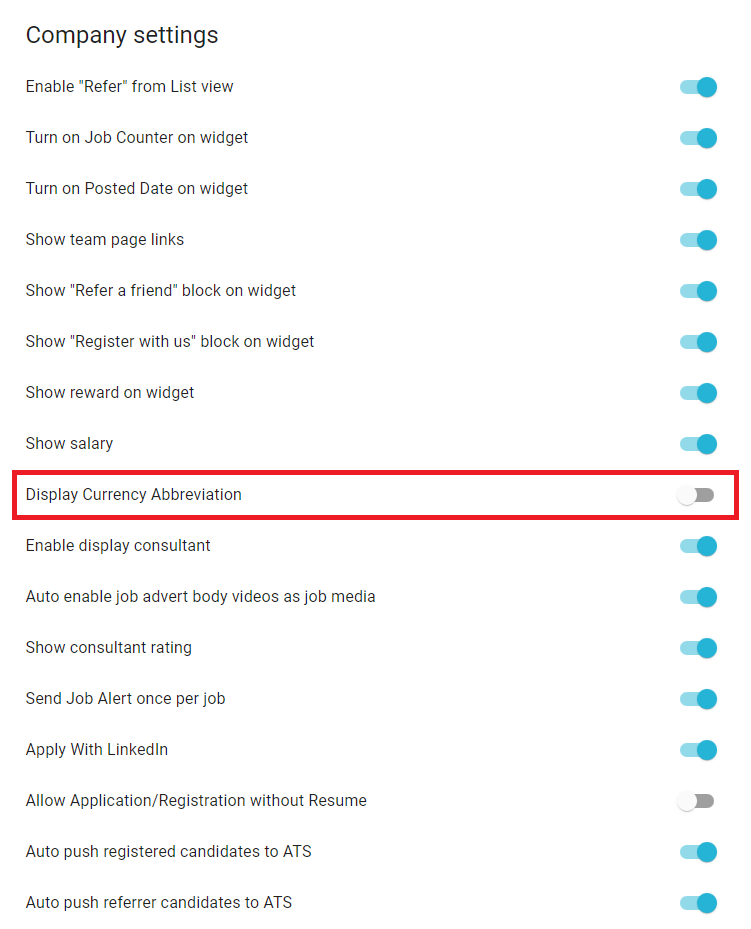
Once we have set this toggle to on, we can go back to our Job Board and we will be able to see the different currencies.