
Refari
Question Sets Filtering for easy Mapping
https://help.refari.work/knowledge-base/article/question-sets-filtering-for-easy-mapping
When you've created questions and question sets and added these to specific/all jobs so that you can gather more information about the candidate at the application stage you can also map these answers to the Candidate record in your ATS/CRM.
This is now even easier!
When you create a question set, the question set will require a name. In the 'Job Adverts' tab in the 'Question Config' where you do the mapping, you can now filter by the question set. This will then only show the questions related to this question set.
This is helpful especially if you have created lots of questions and the questions chosen for a specific question set are not necessarily next/close to each in the full list!
Here's how you get to the Question Config page and 'Job Adverts' tab. First log into your Refari account.
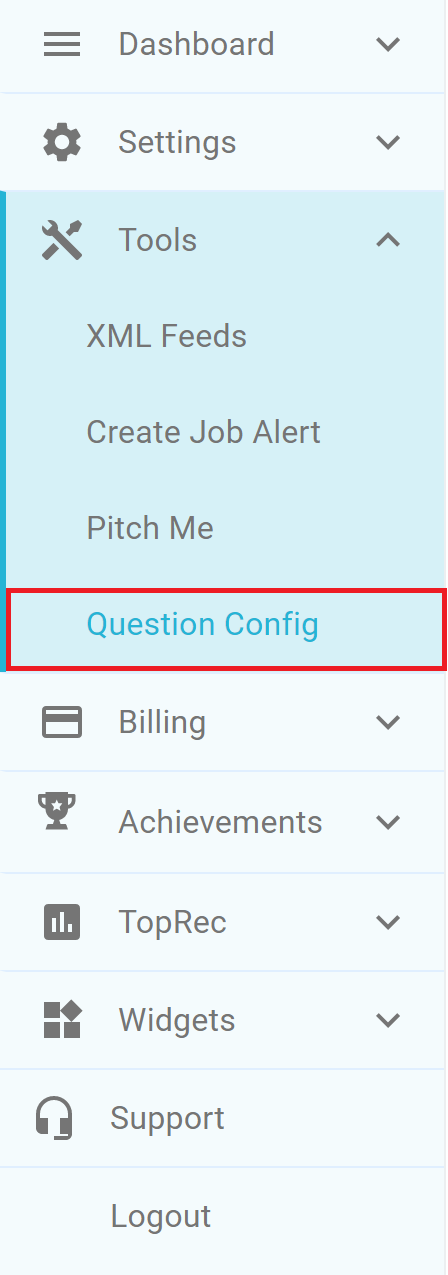
Then click on Tools and Question Config
Then click on Job Adverts
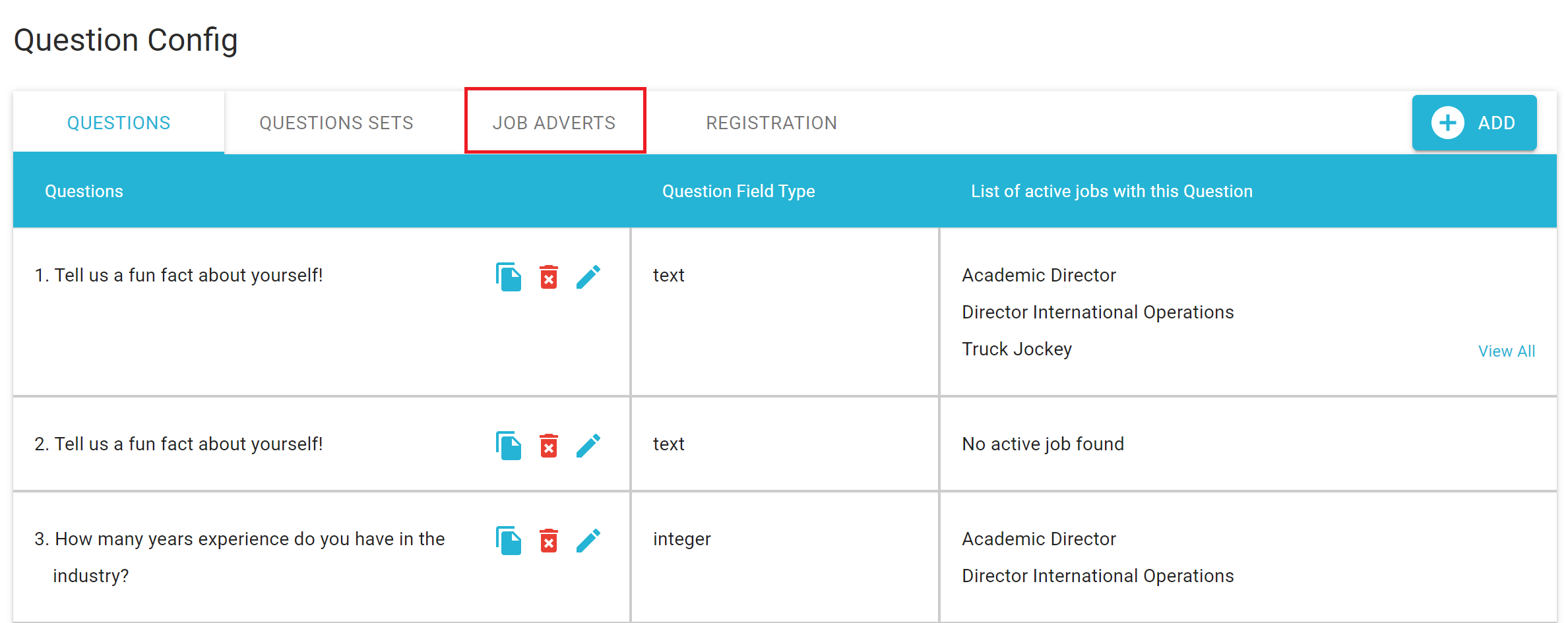
At first, you will see all the questions you have ever created in order they were created.
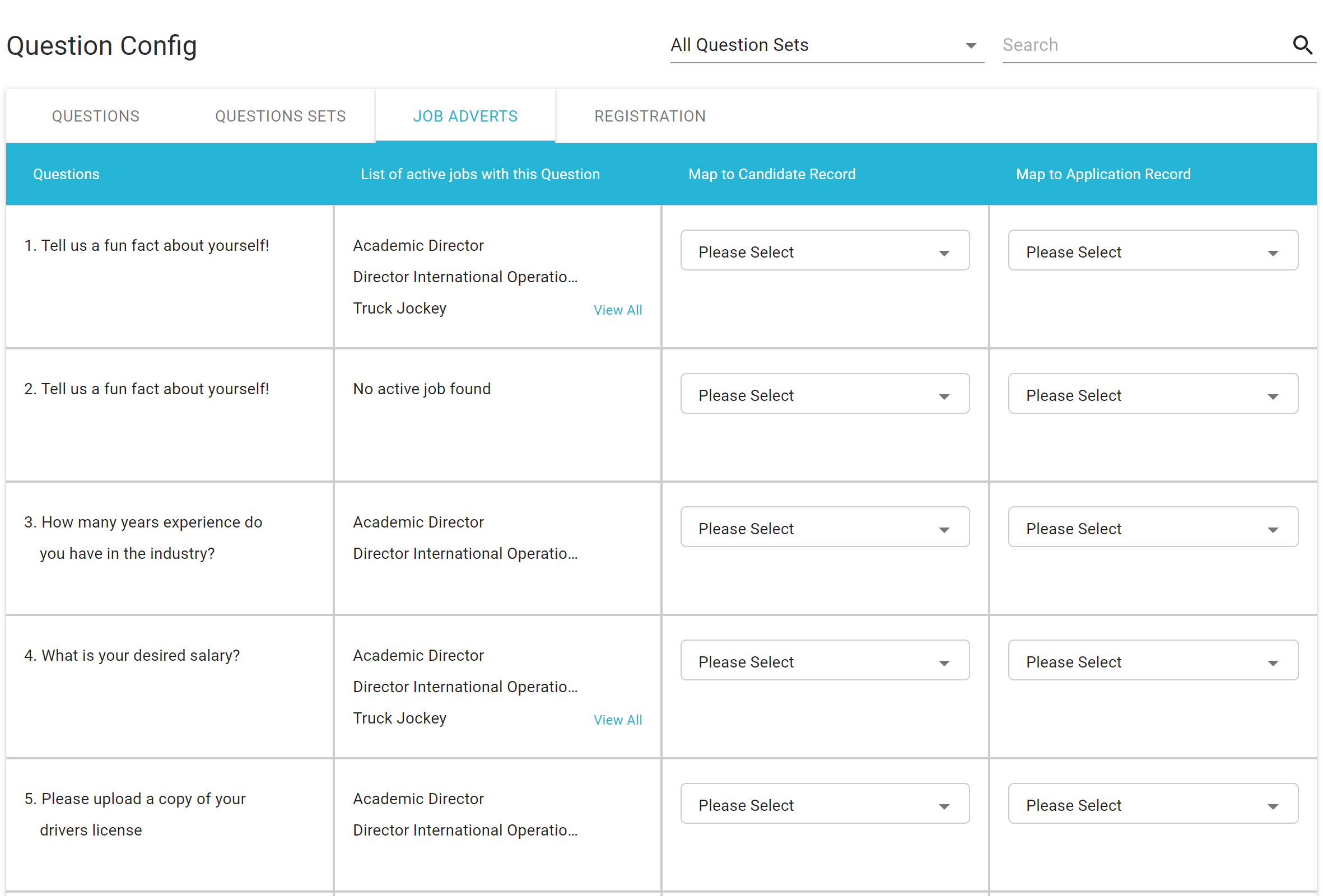
We can now filter by Question set by clicking in the Dropdown at the top

We can now see the list of Question Set Names.
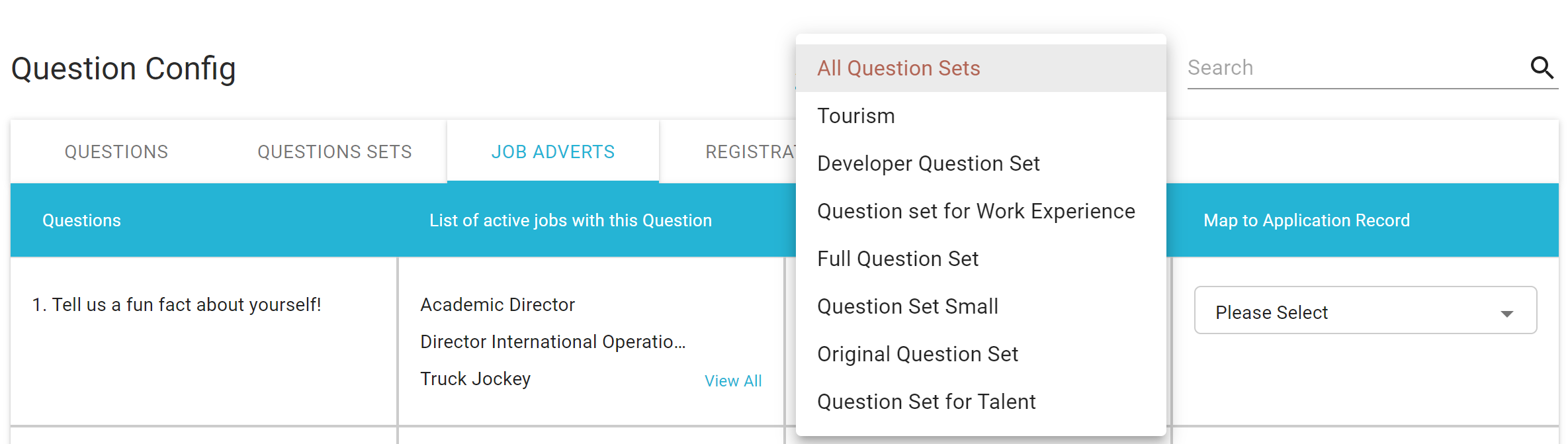
In our example, we are going to choose the question set 'Tourism'. The questions now visible are only those that are in the Tourism Question set
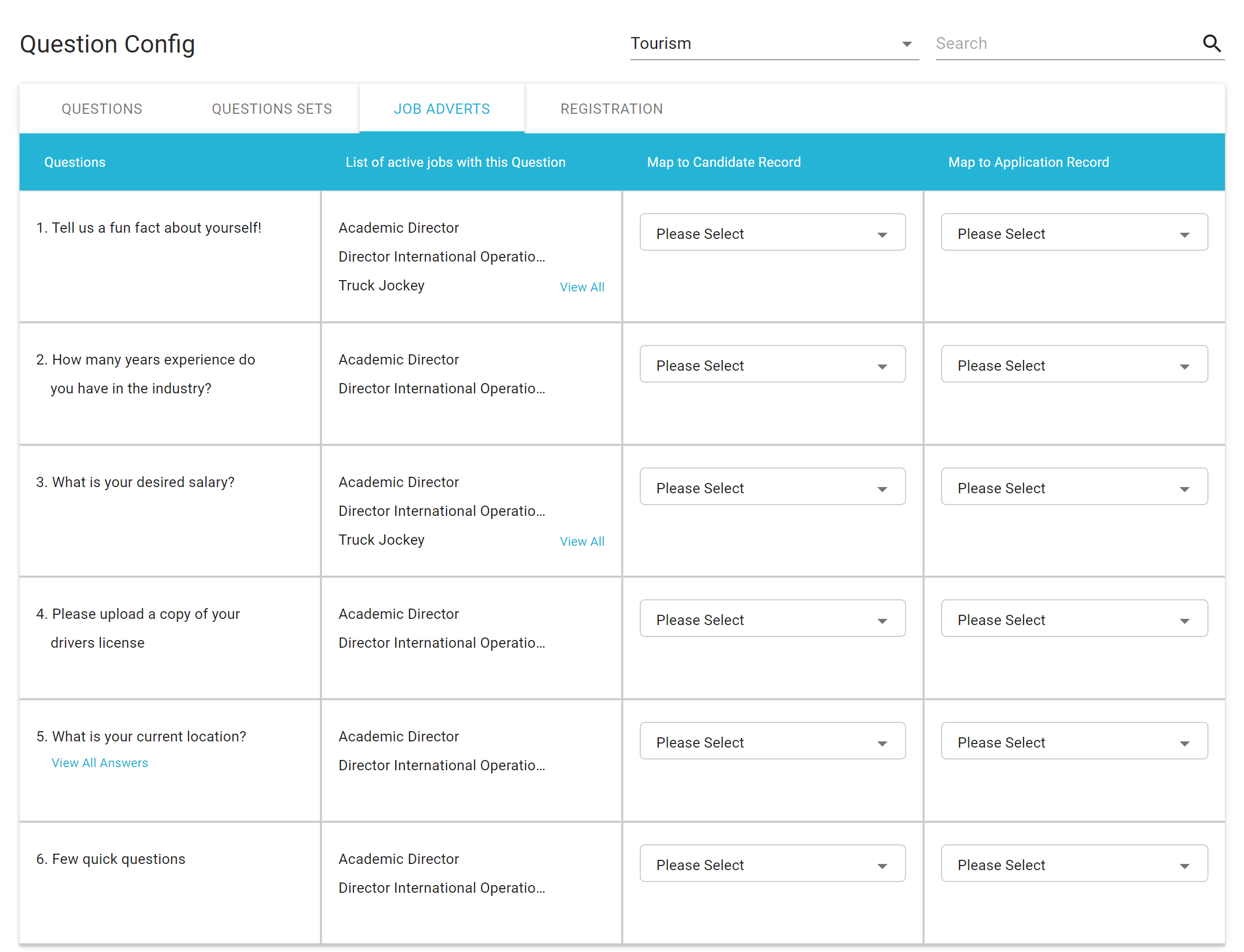
It's now easier to Map these questions to the candidate record or application record based on this question set.