Refari
Adding Application policies to ensure compliance from applicants
https://help.refari.work/knowledge-base/article/adding-application-policies-to-ensure-compliance-from-applicants
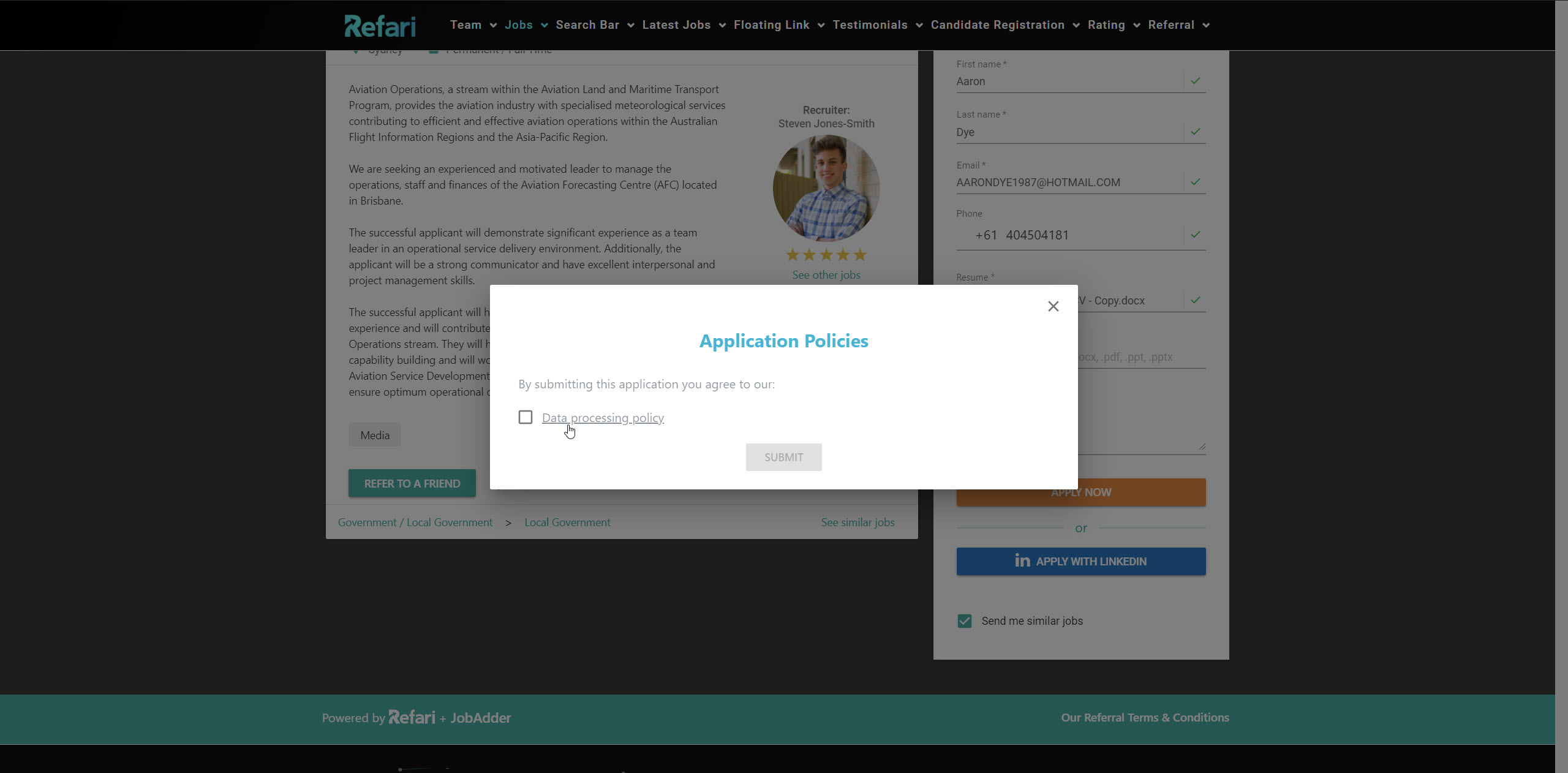
In different locations globally and different areas of work, there are different levels of compliance required. This has meant that we have a feature enabling you to define your own application policies to ensure you can present these policies as part of your application journey.
Here is a video about the process of setting them up as well as demonstrating how this appears to the applicant.
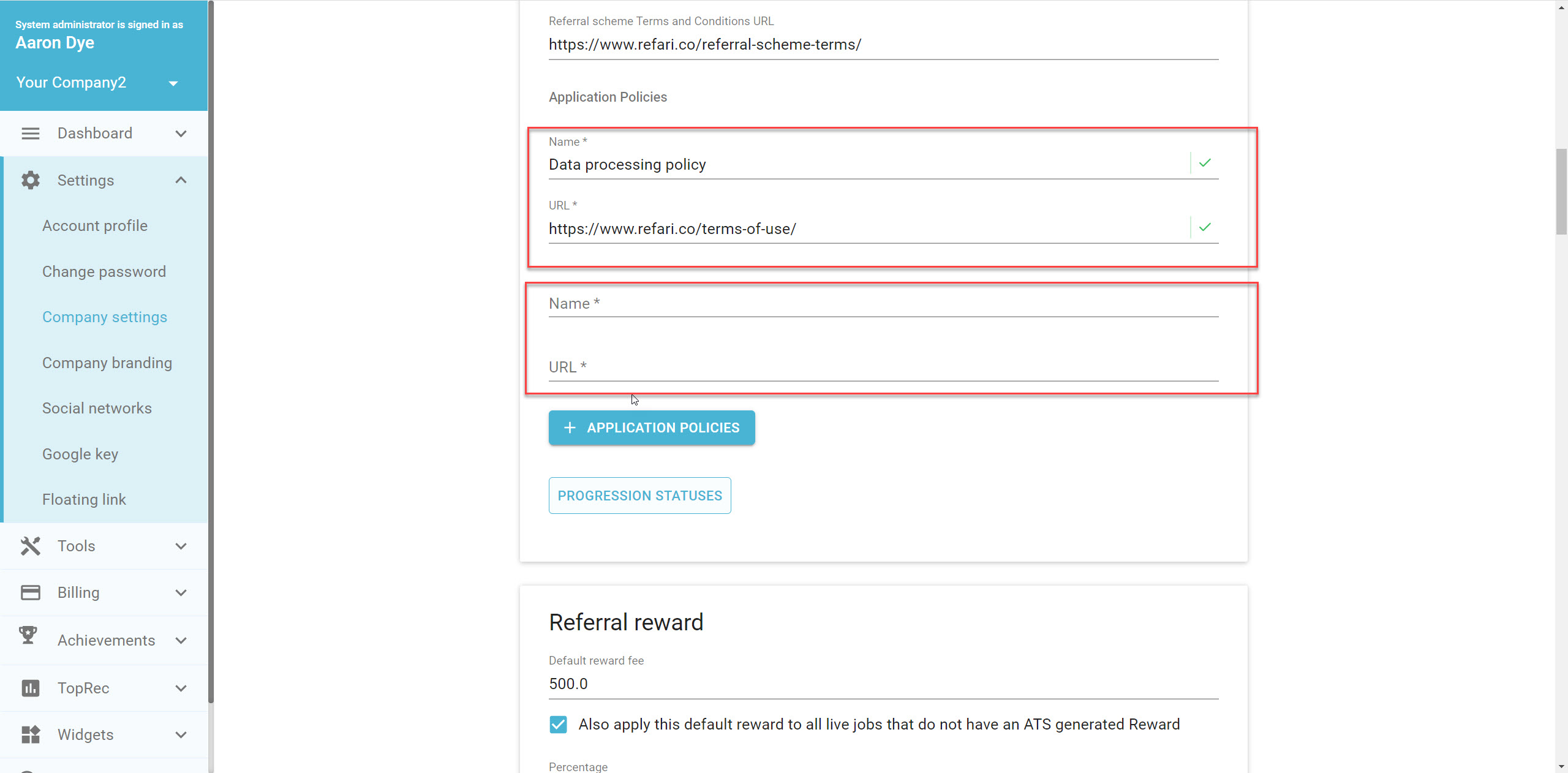
In short, these application policies can be added by admin-level users by going to Settings/Company Settings and adding a new application policy, These application policies comprise of a Policy Name and a Policy URL.
Once a policy has been implemented it will appear as part of the applicant user journey. See the example below.